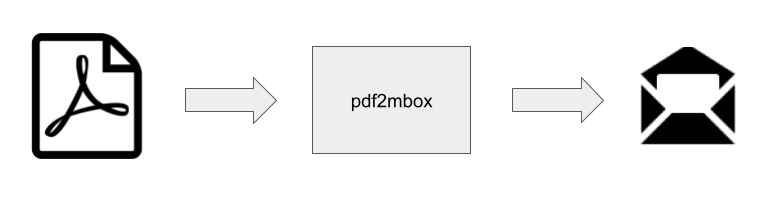
pdf2mbox is a command-line utility and Python library for extracting emails from a PDF file and converting them to MBOX messages. It is open-source and distributed under the MIT license.
Motivation
Archivists and others creating email archives for historical and research purposes are the intended users of pdf2mbox.
Many emails released under Freedom of Information Act (FOIA) requests are PDFs. A single PDF file often contains hundreds or even thousands of emails. Email archiving systems for historical research and preservation, such as ePADD and DArcMail, are natural destinations for FOIAed emails. However, these systems don’t accept PDFs as input, but they take MBOX files. Using pdf2mbox as a pre-processing step allows users to archive PDF emails in these systems.
Information is lost when exporting an email in PDF format from an email system. However, in most cases, we believe enough information is retained in an email PDF to create a proxy of the original email acceptable for archival use.
Installation
As it’s developed in Python, pdf2mbox is available as a PyPI package and installed via typing:
pip install pdf2mbox
in your Python environment. It requires Python version 3.8 or higher.
Usage
Here is how to run pdf2mbox as a command-line utility:
% python -m pdf2mbox --help
usage: pdf2mbox.py [-h] [--version] [--overwrite] [--csv [CSV]]
                   pdf_file [mbox_file]

Generates an mbox from a PDF containing emails

positional arguments:
  pdf_file         PDF file provided as input
  mbox_file        Mbox file generated as output

optional arguments:
  -h, --help       show this help message and exit
  --version, -v    show program's version number and exit
  --overwrite, -o  overwrite MBOX file if it exists
  --csv [CSV]      generate CSV file output
You can also call it from within a Python program:
from pdf2mbox import pdf2mbox

pe = pdf2mbox(pdf_file, mbox_file) # pe contains dict of emails
Use Cases
single PDF containing a single email
A user has a PDF file named email.pdf containing a single email. To convert the email to MBOX format, the user would run the following command in the directory containing the PDF:
python -m pdfmbox email.pdf out.mbox
If the file out.mbox already exists, the emails in the PDF will be converted
and appended to it. If out.mbox does not exist, pdf2mbox creates it.
single PDF containing multiple emails
This use case is similar to the single PDF containing a single email case. The user will enter the same command, and every email in the PDF is converted and appended to the MBOX file.
multiple PDFs
A user has multiple email PDF files in the same directory. The user can construct a simple bash for loop to process all the PDFs:
for f in *.pdf
do
  python pdf2mbox.py $f mbox.out
done
Do you have an additional use case for pdf2mbox or a requirement you’d like it to support?
We want to hear about it, so please raise it as an issue.
Notes
The parser used in pdf2mbox, xmpdf, is available as a standalone package.
About Us
Columbia University’s History Lab developed pdf2mbox as part of its Creating Email Archives from PDFs: The Covid-19 Corpus project. This project is funded in part by The Mellon Foundation’s “Email Archives: Building Capacity and Community” program.